

Splitting costs in a group: why another app?
From Tommaso Maiocchi
Finding a date, splitting costs, bring lists, assigning tasks: why we built PlanLos!, what goes wrong in the group chat, and what a group actually needs.

Monday night, just before midnight. The food was good, the bill got settled at some point, and then the message pops up: "Who actually paid for the taxi? And does anyone still owe me for the wine?"
If you've ever traveled with more than two people, thrown a barbecue or lived in a flat share, you know the rest. Scroll up, search, and somewhere there's a photo of a receipt wedged between birthday wishes and the pin for the parking spot. In the end someone punches numbers into a calculator, and everyone trusts the result because nobody feels like checking it.
That's why we built PlanLos! We know that when someone says "we built an app", people nod politely. So here's the question that's in the room anyway: why another app?
Splitting costs in the group chat: why it rarely goes well
Splitting expenses sounds like math, but mostly it's a memory problem. Who paid for what, for whom, and was it written down anywhere? Everything is in the chat – just not in one place. Wednesday's "I paid the deposit for the holiday flat" is buried under sixty messages about whether anyone is bringing towels.
Then there's a social problem. Whoever brings up money in the chat quickly becomes the group's bookkeeper. Nobody enjoys that. So it ends up being the person who finds it hardest to say no, and they're usually the one who waits longest to get their money back.
Finding a date in the group: before anyone brings anything
Every plan starts with the question that takes the longest: when does it work? Someone writes "How about the 14th?", two people say yes, one asks about the 21st, another is "really only free on Saturdays" – and after three days nobody remembers which suggestion is still on the table. Scheduling by chat is an evergreen problem, especially with groups of five or more.
The usual fix is a scheduling poll in a separate tool. That works, but the final date then lives somewhere other than everything else you still have to sort out. If you want to know who brings what, you open a second app, and a third one knows the costs.
In PlanLos!, scheduling happens in the same group. Whoever created the group starts the planning phase and throws in days or date ranges as options. Everyone taps "Works for me" on the dates that suit them, as many as they like. Then the group admin picks one option, and the date is set. While the vote is running, Bring, To-dos and Costs stay hidden. Date first, the rest later – that takes the pressure off, so nobody is handing out salad duty before it's clear whether the party is even on Saturday. If the date falls through after all, you release it and vote again. If you like, you get an email about it. The steps are in the guide to finding a date.
Bring list and tasks: the same problem
Bring lists go the same way. "Just bring something" is the surest route to three potato salads and no charcoal. Anyone planning a barbecue has the same questions every time: who brings what? What still needs doing beforehand, like getting the garden furniture out or telling the neighbors? And who has already paid for something?
There's a separate app for each of those questions. The date comes from a poll, the bring list from a list app, the tasks from a notes app, the costs from an expense app. All decent tools. But then the group sits in four tabs and explains to each other in the chat where everything is.
There's Splitwise and Tricount – why another app?
Fair question. Pure expense apps do their job well, and if all you want is to split costs, they'll take you a long way. How PlanLos! compares is covered in the Splitwise alternative and the Tricount alternative. Sometimes the simplest answer is: stick with what you have.
It gets harder as soon as it's not just about money. "Pick up the key from the landlord" costs nothing, but someone still has to do it. And the guest who just wants to quickly add the salad has little interest in signing up somewhere to do it. Pure bring-list apps solve exactly one thing, too, and the settling up afterwards lands in the chat again.
So our idea wasn't big at all: one place per group that you drop into the chat as a link. It shows what's coming up – and who took what on.
What's inside PlanLos!
Four building blocks that you can switch on and off one by one:
- Planning: suggest days, tap "Works for me", set the date. Once it's fixed, you move on to the lists. Here's how planning works.
- Bring: this is where you create a potluck list. Whoever takes something on is listed by name, and you can share the list link even without an account.
- To-dos: shopping and tasks, with quantities when it matters. Just tick them off here as they get done.
- Costs: enter what you paid, see the balances, get the settling up in plain language. How exactly that works is described on the page about splitting expenses.
What you don't need stays off. Entries you've already created don't disappear, in case you switch a module back on later. An overview of all the building blocks is on the features page, and a step-by-step walkthrough is in the guide.
Under the hood: why PlanLos! is built the way it is
A few decisions you can't see in the app at first glance:
Browser first. In a group, everyone has a different phone and a different appetite for installing things. A link works for everyone. The iOS and Android apps are in the works, but the browser stays the shortest way in.
Join without an account. Whoever opens the link enters their name and can get started. An account is worth it for people who want to keep track of several groups. Guests don't have to fill out forms before they're allowed to type in "potato salad".
Settling up in plain language instead of charts. Nobody wants to decode bars. In the end it should say: Jonas pays Mara €86.40. PlanLos! suggests who transfers money to whom and adds up the balances to get there.

Not every expense applies to everyone. If you weren't in the taxi, you don't have to chip in. That's why you choose for each expense who it applies to.
Servers in the EU, no subscription. Free really means free here, with no trial that runs out after 30 days.
What groups use PlanLos! for
Mostly where "I'll cover it for now" and "Who's bringing what?" end up in the same thread. The modules that help most are in brackets:
- Barbecue night (Bring, To-dos, Costs): salad, drinks and the meat from the butcher go on the bring list, so the same thing doesn't show up three times. Charcoal, ice, trash bags and "garden furniture out" go under To-dos, and whoever paid up front enters it under Costs. If the weather still gets a say, the date vote helps beforehand. More in the BBQ planning guide.
- Flat share (Costs, To-dos): milk, toilet paper, dish soap – whoever did the shopping enters the amount, and the balance shows who still owes whom. Open errands sit under To-dos, so nobody asks in the chat whether someone already got dish soap. For parties, Bring comes in too, see house party. For the weekly shop there's also a shared shopping list.
- Vacation (Planning, Costs, To-dos): first, Planning sorts out which week works for everyone. After that it's mostly about settling the holiday flat, groceries and fuel stops. Bring is good for the parasol, the card games and the cooler box, To-dos for check-in and departure. More on this on the vacation page.
- Festival and weekend trip (Bring, Costs, To-dos): tent, stove, snacks – the bring list makes sure five people don't all pack the same camping stove. Fuel, groceries and deposits get settled under Costs, while tickets, the trip there and parking are To-dos. More at festival planning and weekend trip.
- Bachelor party (Planning, To-dos, Costs): lots of people, lots of date wishes, so it starts with Planning. Location, program and getting there are To-dos with someone in charge, the up-front payment for accommodation and activities runs through Costs, costumes and decorations through Bring. The details are on the bachelor party page.
Try it first: no account needed
If you just want a quick sense of how it works, you don't need an account. The features page shows what the building blocks do, and you can play through a settlement before you create anything real. Once it turns into an actual project, you create the group.
Quick questions
Is PlanLos! really free?
Yes, no subscription and no hidden limits.
Does everyone have to create an account?
No. Whoever opens the invitation or list link enters their name and joins in. An account is optional.
Can I also find a date with it?
Yes. You switch on the Planning module, suggest days and vote with "Works for me". As soon as the date is set, Bring, To-dos and Costs show up again.
Is there an app?
PlanLos! already runs in the browser. The iOS and Android apps are in the works. More answers are in the FAQ.
To wrap up
We built PlanLos! because groups rarely have just one question, yet spread their answers across the chat, a list app and a calculator. If you spend less time scrolling up afterwards, we got it right.
Just create a group, send the link to the chat and enter the first expense. The rest mostly takes care of itself – at the latest by the next barbecue night.
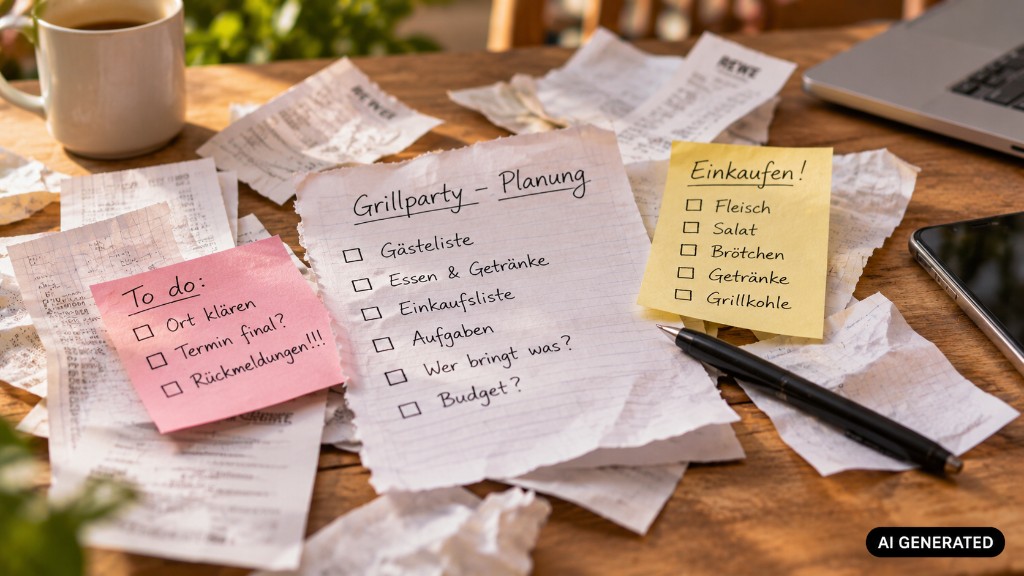
The photos in this post are AI-generated and labeled as such.
Curious?
Create a group, drop the link in the chat – Bring, To-dos and Costs in one place. Free, no subscription.